
A paper archive costs space, time and compliance risk. Here's how to plan a back-scanning project — from measuring the volume to what happens to the paper — and get it right first time.
Most organisations reach a point where a paper archive stops earning its keep: it fills expensive floor space, slows down every information request, and carries data-protection risk that's hard to control. Digitising the backlog — back-scanning it in one managed project — turns that liability into searchable records your teams can find in seconds.
It's usually worth doing when records are requested often, when you need the space back, when a move or office closure forces the question, or when compliance (GDPR subject access, audit, legal discovery) means you have to find any file fast.
Count it in boxes or linear metres of shelving. This is the single biggest driver of time and cost, and it decides whether the job is a quick turnaround or a scheduled, multi-batch programme.
Don't pay to digitise records you're allowed to destroy. Apply your retention schedule first — removing anything past its date cuts cost and risk in one step.
Indexing is what makes a scan useful. Agree the fields your teams actually search by — name, reference, date, department — because a searchable PDF indexed to the right fields is worth far more than a flat image.
Before full production, a representative free test batch lets you sign off image quality, index accuracy and output format — so there are no surprises at scale.
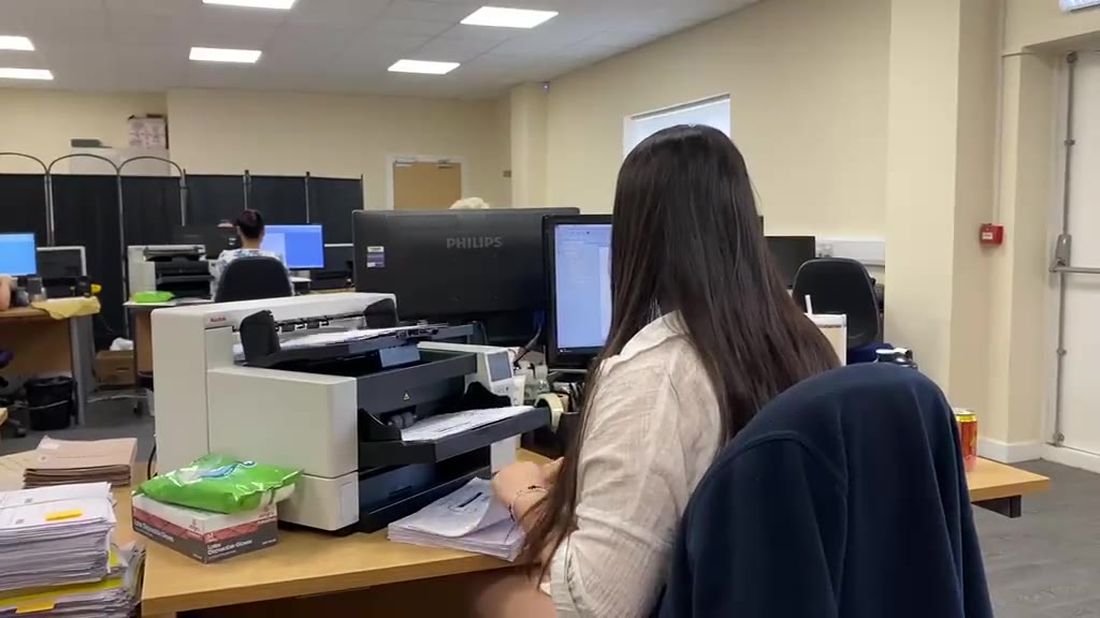
Preparation is where most of the real work sits: removing staples and clips, repairing and flattening damaged pages, sorting and separating documents, and capturing the index references. On our floors this is done in-house by DBS-checked staff — never offshored or subcontracted — so sensitive records never leave our accredited UK sites. Handwriting and poor originals are flagged for human review rather than guessed.
We deliver searchable PDF, PDF/A, TIFF or JPEG, OCR'd and indexed to your references, by SFTP, secure portal or encrypted media. Everything is scanned to BS 10008 for legal admissibility and under an ISO 27001 information-security regime, with quality control on every batch. For plans, maps and bound volumes, large-format and conservation scanning handles what a production scanner can't.
Once your digital records are signed off, the originals are your choice: returned to you, moved into secure storage, or destroyed to BS EN 15713 with a certificate of destruction for your audit trail.
Large backfile projects run best as a managed programme: a named project manager, a signed-off test batch, scheduled collections so you're never without the records you need, and progress reporting throughout. We've digitised archives from a single box to millions of pages from our own UK facilities since 1977 — see bulk & back-scanning for how a project is run, or scanning costs for what drives the price.
Tell us roughly how many boxes you have and we'll send a clear, no-obligation price — starting from a free test batch.
We'll be in touch, usually the same working day. Anything urgent? Call free on 0800 281857.
A document backlog (or backfile) is the archive of paper records your organisation has built up over the years — case files, HR and finance records, contracts, patient notes — that aren't yet digital. Digitising it in one managed project is called back-scanning or backfile conversion.
Start by measuring the volume (boxes or linear metres), weeding anything past its retention date, deciding the index fields your teams search by, and choosing an output format. A good bureau will scan a free test batch first so you sign off quality and indexing before full production.
It depends on volume, document condition and indexing depth. A few boxes can turn round in days; a multi-million-page archive runs as a managed project with scheduled batches, dedicated project management and quality control throughout.
If records are requested often, or you need the space back, a full backfile scan usually pays off. If a large archive is rarely touched, keeping it in secure storage and using scan-on-demand for the occasional file can cost less. Many organisations do both.
Yes, where your retention policy allows. We scan to BS 10008, the British Standard for the legal admissibility of electronic records, so digital copies can stand as evidence, and we destroy the originals to BS EN 15713 with a certificate — or return or store them, your choice.